
How It WorksSupport
Sign inSign up

Explore

OverviewHow It WorksPlatformsChallenge PathChallenge RulesFAQ

Account

Sign InStart Challenge

Partnerships

Become AffiliateCPA Partnership

Terms

Customer AgreementTrading RulesPrivacy PolicyCookie PolicyAML PolicySupport

Disclaimer

Simulated Trading Environment

All accounts provided by FirewoodFunded operate exclusively in a simulated trading environment. No actual trades are executed on live financial markets. The services we offer are designed for educational and evaluation purposes only.

No Investment Services

All content published and distributed by FirewoodFunded is for general information only. FirewoodFunded does not provide investment advice, does not solicit or recommend the purchase or sale of any financial instrument, security, or fund, and does not act as a broker, custodian, or financial intermediary.

Program Fees

Participation in any FirewoodFunded program is entirely voluntary, and all fees paid to FirewoodFunded are strictly service fees. PROGRAM FEES ARE NOT DEPOSITS, do not represent client funds, and must not be considered investments under any circumstances. These fees are non-refundable once paid, except where required by applicable law.

Licensed Entity

Although licensed, FirewoodFunded does not offer real trading accounts on this website. Its services are limited to simulated trading programs.

Partner Trademarks

Logos are trademarks of their respective owners. Their use does not imply endorsement.

Risk Warning

Trading in futures, derivatives, and digital asset markets involves a substantial risk of loss. Past performance is not indicative of future results.

Company Information

FirewoodFunded is operated by Firewood Global Ltd. Registered in St. Vincent and the Grenadines under no. 22160 BC 2014.

Registered address: Euro House, Richmond Hill Road, P.O. Box 2897, Kingstown, St. Vincent and the Grenadines.

Your trading workspace.Powered by FireTrader.

Explore markets, place trades, and manage your positions, all in your browser.

Explore FireTraderView Challenges

Inside FireTrader

Your tools. One workspace.

Explore the charts, order tools, and account views that bring your trading day together.

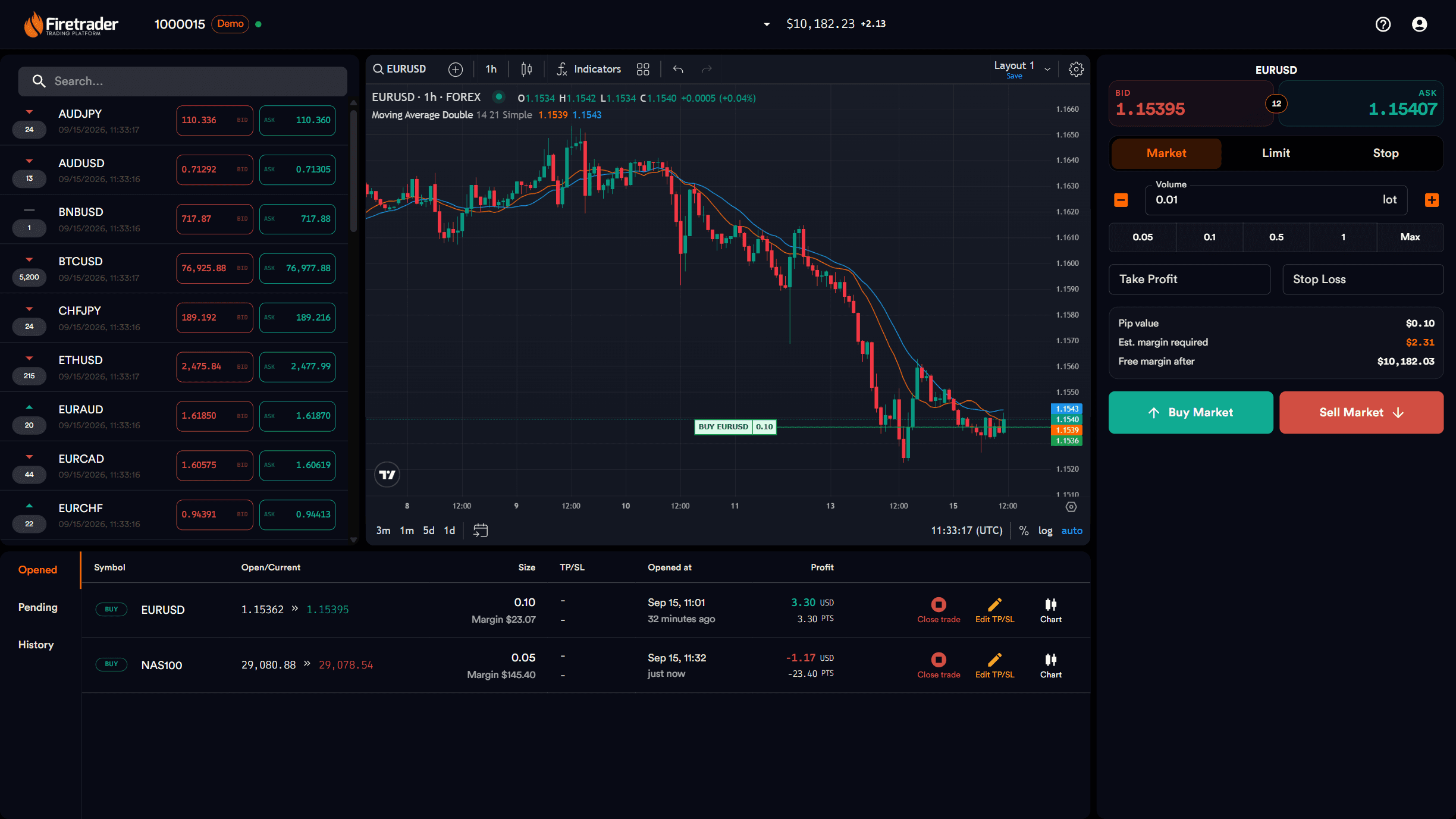
FireTrader desktop workspace preview
  • See the market clearlyExplore instruments and analyse price action with TradingView charts and indicators.
  • Trade with a planChoose market or pending orders, set your trade size, and define take-profit and stop-loss levels.
  • Keep your trades in sightTrack open positions, review pending orders, and revisit your trading history in one place.
  • Know where you standCheck your challenge targets, limits, and latest progress whenever monitoring is available for your account.
On Mobile

Same workspace. Wherever you are.

Use FireTrader straight from your phone’s browser. Your markets, orders, and positions stay within reach, with no app to install.

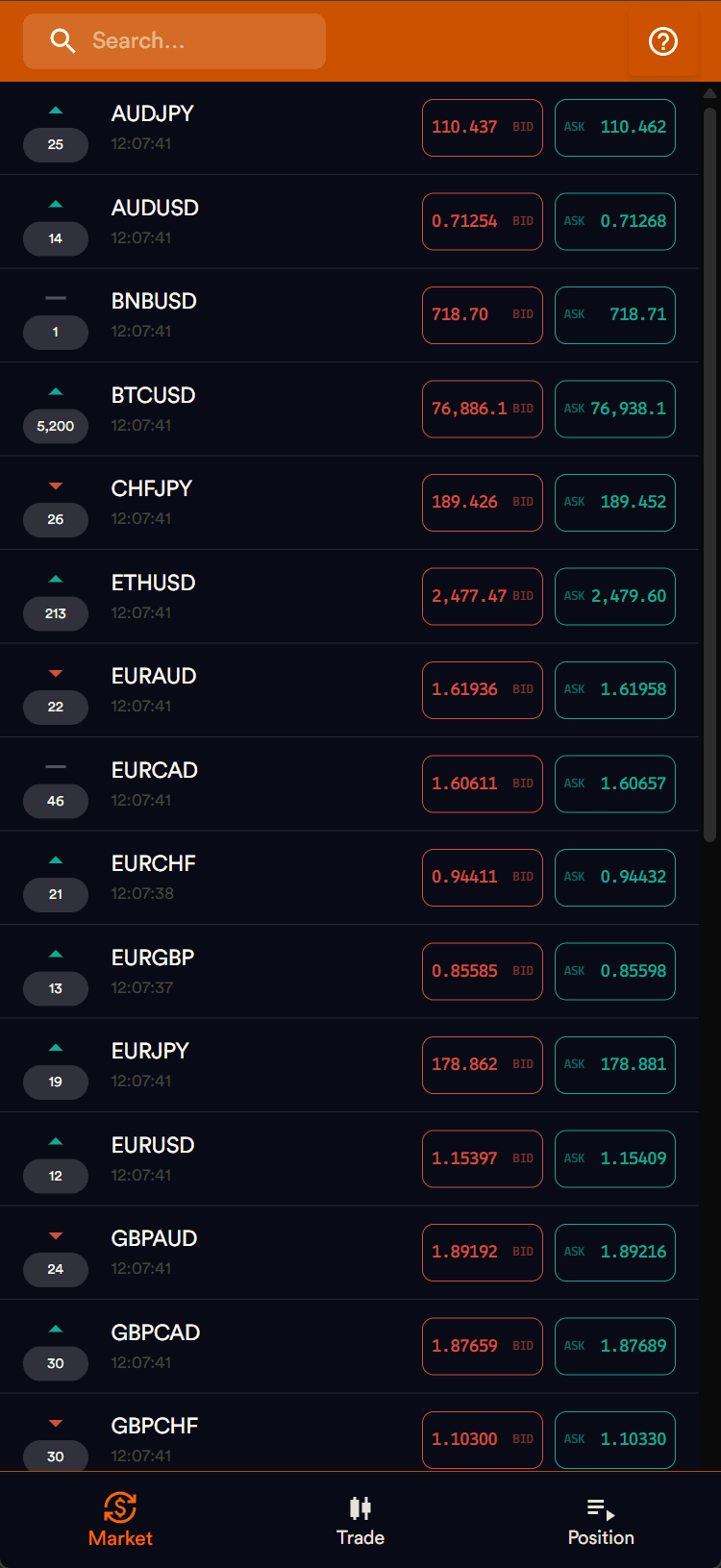
FireTrader markets in a phone browser
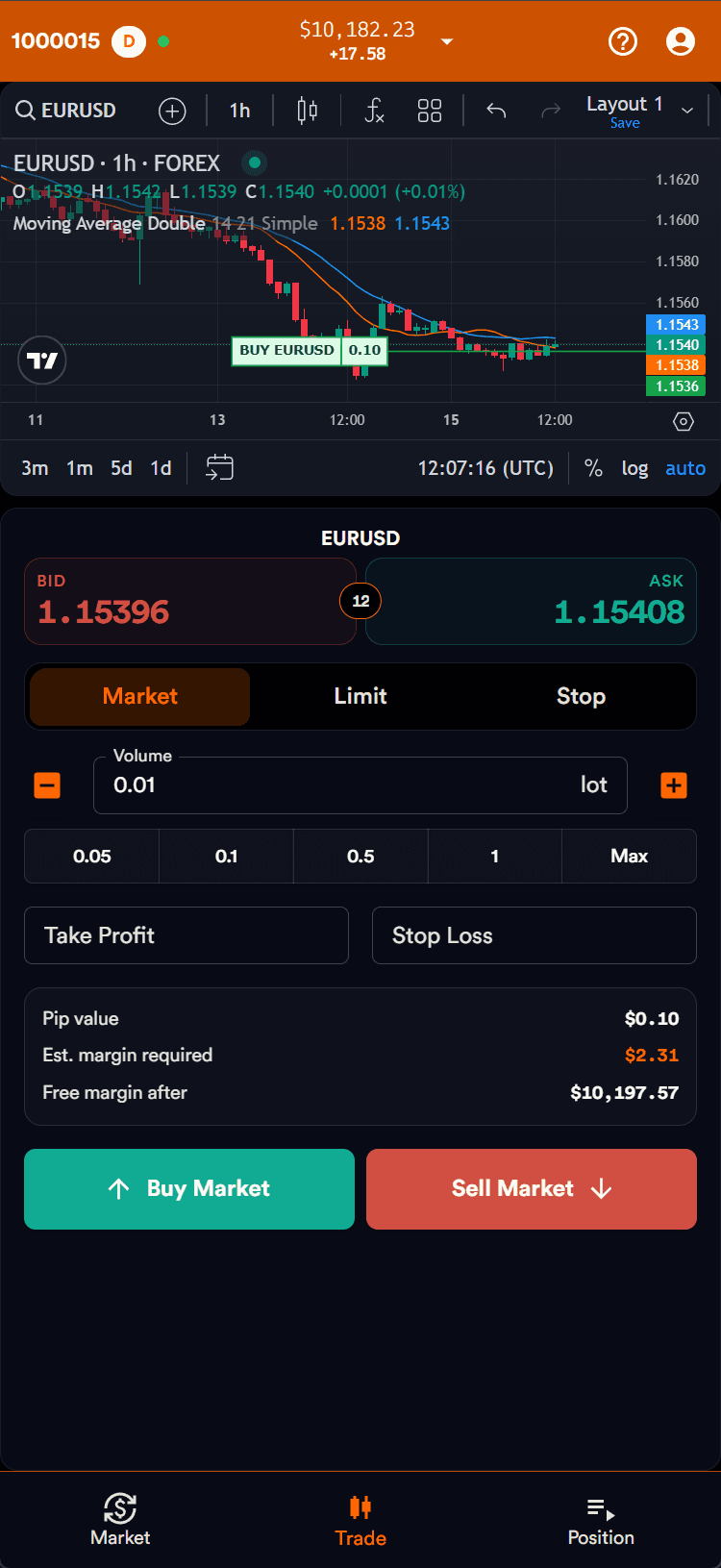
FireTrader chart and order tools in a phone browser
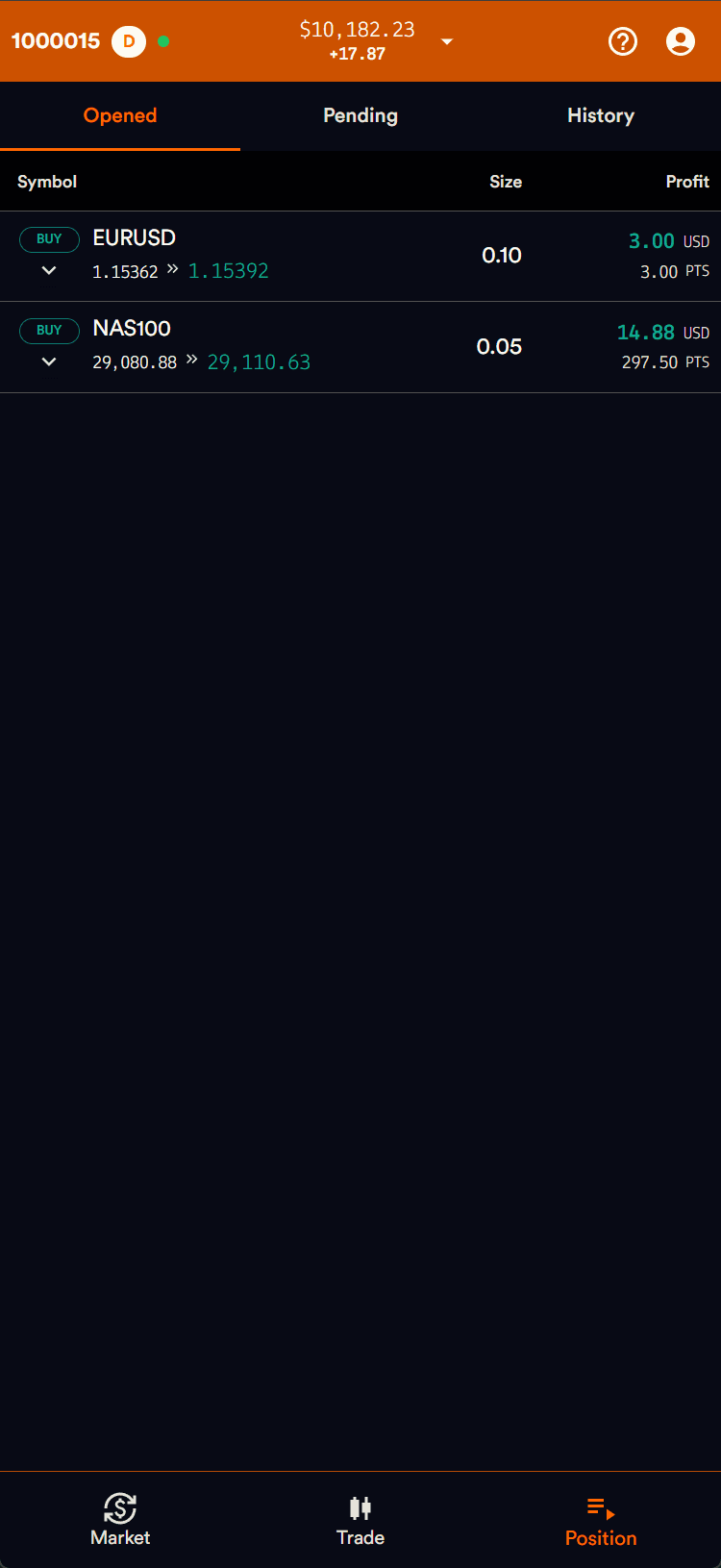
FireTrader open positions in a phone browser
  • Stay close to the marketBrowse instruments and open charts from your phone.
  • Put your plan into actionSet your trade size, review margin, and choose your take-profit and stop-loss levels.
  • Check in on your tradesReview open positions and trading history when you’re away from your desk.

Practical questions

Know before you trade

Straight answers about access, devices, and platform availability.

Do I need to install FireTrader?

No native app is required. FireTrader runs in a supported desktop or mobile browser.

Can I use FireTrader on my phone?

Yes. Open FireTrader in a supported mobile browser to access markets, order entry, and positions.

Does FireTrader show challenge progress?

FireTrader brings challenge monitoring directly into your trading workspace. Track your targets, limits, and latest progress alongside your trades, with integrated monitoring for supported accounts. The latest update status shows how current your progress is, and new account data may take time to appear.

How do I find a FireTrader challenge?

View the current offers in the challenge selector and check the listed trading platform before choosing your challenge.

How do I access my trading account?

After payment is confirmed and account setup completes, the account appears in your dashboard. Login details are sent to your registered email.

Ready to trade?

Your next chapter starts here.

Explore current challenges and choose the account size that fits your next step.

View Challenges